Last updated:
How to Find Someone by Username
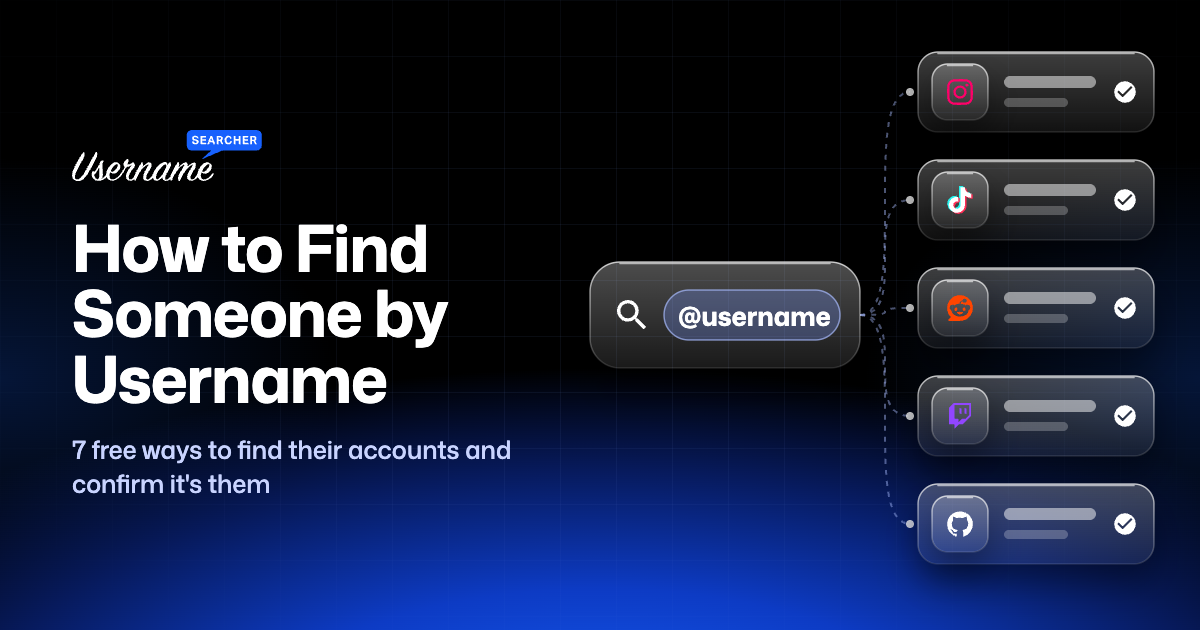
You can often find someone by username alone, along with the rest of their public accounts, in a few minutes and for free. A username is one of the best clues you can have online. People pick a handle they like and then reuse it for years, on Instagram, TikTok, Reddit, gaming accounts and forums.
This guide walks through the methods in the order that works best: start with a search across every site at once, then dig deeper by hand, then confirm that the accounts you found really belong to the same person. That last step is the one most guides skip, and it’s where most mistakes happen.
Quick Answer
- Type the username into a free username lookup to see every site where it’s registered.
- Open each match and check the profile URL, photo, bio and links.
- Search the username in quotes on Google to find mentions outside social media.
- Try common variations if the exact handle turns up nothing.
- Confirm a match with at least two independent clues before you treat it as the same person.
Which Method Should You Use?
| Your situation | Best method |
|---|---|
| You have a username and want all their accounts | Method 1: search 1,000+ sites at once |
| You know which app they use | Method 2 or 3: in-app search or the profile URL |
| You want forum posts, reviews or comments | Method 4: Google search operators |
| The exact handle finds nothing | Method 5: try variations |
| They changed their username | Method 6: old usernames and archives |
| You found accounts and need to know they’re the same person | Method 7: confirm the match |
| You only have a real name or email | Search by name or email (further down) |
Why Searching by Username Works
Display names are messy. Thousands of people are called “Alex” on Instagram, and anyone can change the name shown on their profile in seconds. A username is different: each platform only lets one account hold it, and it appears in the profile’s web address.
Most people also keep the same handle everywhere because it’s easier to remember and builds a recognisable identity. That habit is what makes a username search so effective. One handle like nightowl_dev might lead you to a GitHub account, Reddit posts, a Twitch channel and an old forum profile, each one filling in more of the picture.
It doesn’t always work. Some people use a different handle on every app on purpose, and popular names like alex are taken by different people on every site. The methods below help with both problems.
Method 1: Find Social Media Accounts by Username on 1,000+ Sites
The fastest start is a tool that checks one username against many platforms in a single search. This is often called a reverse username search: you start with the handle and work back to the accounts behind it. Type the handle into our username search and it runs a username lookup on 1,000+ sites, then marks each one:
- Found: an account with that exact username exists, with a link to open the profile.
- Available: no account uses that username on that site.
- Unknown: the site didn’t give a clear answer, often because it blocks automated checks. Open the site yourself to check.
Other free tools do the same job in different ways; we compare them in WhatsMyName, IDCrawl and Sherlock alternatives.
Treat the Found list as leads, not answers. A match only tells you that someone registered that username on that site. Whether it’s the person you’re looking for is what Method 7 is for.
Tip: platforms treat night.owl, night_owl and nightowl as different handles, so search the username exactly as you saw it first, then try it without the dots, underscores or numbers.
Method 2: Search Inside Each App
If you know which platform the person uses, the app’s own search is still worth a try, because it also matches display names, which a username search can’t.
- Instagram: use the search tab and type the handle. Partial matches appear as you type. Our Instagram username search explains what you can see on public and private accounts.
- TikTok: search the handle and switch to the Users tab. The TikTok user finder covers looking up an account without the app.
- Snapchat: use Add Friends and type the username. The Snapchat username search shows how to check a handle from a browser.
- Discord: there’s no public directory to browse, so you can only reach someone by their exact username through a friend request or a shared server. Our Discord username lookup explains what’s possible with a username or a user ID.
- Steam: sign in and search the profile name under Friends, then Add a Friend. Our Steam user search guide covers custom URLs, Steam IDs and friend codes.
Method 3: Go Straight to the Profile URL
Most platforms put the username in the profile’s web address. If you know the handle, you can type the address straight into your browser and skip the search box entirely. If the page loads a profile, the account exists. If it shows “page not found”, it may not exist, or it may have been deleted, banned or renamed. Some sites, Instagram in particular, hide profiles from logged-out visitors, so a login wall or blank page isn’t proof either way.
| Platform | Profile URL pattern |
|---|---|
| instagram.com/username | |
| TikTok | tiktok.com/@username |
| X (Twitter) | x.com/username |
| reddit.com/user/username | |
| YouTube | youtube.com/@username |
| Twitch | twitch.tv/username |
| pinterest.com/username | |
| GitHub | github.com/username |
| Telegram | t.me/username |
| Snapchat | snapchat.com/add/username |
This also works the other way round. If someone sends you a profile link, the username is right there in the address, ready to search on every other site. Our Twitch, YouTube and Pinterest search page goes into how each of those platforms handles usernames and display names.
Method 4: Use Google Search Operators
Social profiles are only part of the story. People also leave their usernames in forum posts, comment sections, game leaderboards, reviews and old blogs. Google finds those, as long as you search the right way.
"nightowl_dev": quotes force an exact match, so Google doesn’t split the username into separate words."nightowl_dev" site:reddit.com: limits results to one site. Swap in any domain."nightowl_dev" -site:instagram.com: removes a site you’ve already checked, so new results surface."nightowl_dev" OR "nightowldev": searches two variations at once.
Try Bing and DuckDuckGo too. They index different pages, and small forums sometimes show up on one and not the others.
Method 5: Try Username Variations
When the exact handle finds nothing new, the person may have tweaked it on other sites because their usual one was taken. The common changes are predictable:
- Adding or removing an underscore or dot:
night_owl,night.owl,nightowl - Adding numbers, often a birth year or lucky number:
nightowl97,nightowl_07 - Adding a prefix or suffix:
itsnightowl,nightowlx,thenightowl,nightowl_official - Swapping letters for numbers:
n1ghtowl,nightow1
Search the two or three most likely variations rather than every possible one. The more you stretch the name, the more likely a match belongs to a stranger.
Method 6: Look for Old or Changed Usernames
If the person changed their handle, the old one can still lead somewhere. Some platforms don’t let people rename an account at all. Reddit’s help says a username can’t be changed once it’s finalized, so a different Reddit handle points to a different account.
- Wayback Machine: paste an old profile URL into web.archive.org to see saved copies of the page, sometimes with the bio and links from back then.
- Old mentions: a Google search for the old handle in quotes can turn up posts, tags and replies that still point to it, even after the account was renamed.
- Linked accounts: a newer profile often keeps the same profile photo, bio wording or link-in-bio page, which you can match against the old account.
Method 7: Confirm It’s the Same Person
This is the step that separates a real result from a guess. Finding nightowl_dev on five sites doesn’t mean one person owns all five. Before you treat accounts as connected, look for at least two independent clues that line up:
- Cross-links: the profiles link to each other, or share the same website or link-in-bio page. This is the strongest clue.
- Profile photo: the same picture on several accounts. Run it through a reverse image search (Google Lens, Bing Visual Search or TinEye) to see where else it appears.
- Bio details: the same city, job, school, hobby or wording.
- Timing: accounts created around the same time, or posting about the same events.
- Writing style: the same phrases, emoji habits or spelling quirks.
A shared username on its own is weak evidence, especially for short or common names. If you only have one clue, keep the match marked as “possible” in your notes rather than letting it turn into a fact.
When You Can’t Find Them
Sometimes a search comes back empty, or full of accounts that clearly aren’t the right person. Common reasons:
- The account is private. Private accounts still show up in username searches, but you won’t see their posts.
- The account was deleted or banned. Its URL returns “not found”, and the username may be free again or taken by someone new. The Instagram username checker and TikTok username checker show whether a handle is free to register.
- They use different handles on purpose. Some people keep each part of their life separate. Try their real name or email instead (see below).
- The site blocks checks. Those show as Unknown in our results. Open the site and search by hand.
No Username? Search by Real Name or Email
If the username leads nowhere, the same approach works with other details you already have.
- Real name: search it in quotes on Google with something that narrows it down, like
"Jordan Avery" Denveror"Jordan Avery" photographer. Facebook and LinkedIn are the most useful platforms for name searches, because people there tend to use their real names. - Email address: search the full address in quotes on Google. It sometimes turns up forum profiles, reviews or public documents. Many people also build their usernames from their email, so the part before the @ is worth running through a username search too.
- Data breaches: Have I Been Pwned (haveibeenpwned.com) shows which known breaches an email address appears in. It won’t show accounts directly, but it hints at which sites the address was used on. It’s most useful for checking your own email.
Use This Responsibly
Looking at public profiles is generally legal in the US, and it’s genuinely useful: reconnecting with an old friend, checking a seller before you send money, making sure a new match on a dating app is who they say they are, or seeing what’s public about your own handles. Using what you find to stalk, harass or threaten someone is a crime.
Respect privacy settings, don’t make fake accounts to see private profiles, and don’t use a search to get around a block. If you’re worried about your safety or someone else’s, use the platform’s report tools or contact the police rather than investigating on your own.
Check Your Own Usernames First
The same methods work on you. Search a username across 1,000+ sites to see which of your old accounts are still out there, and whether someone else has registered your usual username somewhere you never signed up. If you’ve forgotten which handles you’ve used, our guide on how to find your username covers every major app.
FAQ
Can you find someone with just their username?
Often, yes. If they reuse the handle, a username search will show their other public accounts. You’ll only see what they’ve made public, though, and you should confirm each match with more than the username alone.
How do I find someone’s social media accounts for free?
Start with their username in a free search tool that checks many sites at once, then use Google with the username in quotes. If you only have their name, search it on Facebook and LinkedIn and on Google with a city or job. None of these methods cost anything.
Is it free to search someone by username?
Yes. Our username search is free with no sign-up, and the manual methods (profile URLs, app search, Google operators) cost nothing. Paid people-search sites claim to link usernames to real names and addresses, but their matches can be wrong or out of date.
Will the person know I searched for their username?
No. A username search only checks whether public profile pages exist, and opening a public profile doesn’t notify anyone on most apps. Some actions do: sending a friend request, watching their story, or viewing a LinkedIn profile while signed in.
Is it legal to look someone up by username?
Viewing public profiles is generally legal in the US. What matters is what you do next: stalking, harassment, threats and sharing someone’s private details are against the law and against every platform’s rules.
Can I find someone’s real name from their username?
Only if they’ve published it somewhere, such as in a bio, a linked website or a post. A username search shows where the handle exists. It doesn’t reveal private information the person hasn’t shared.
Can I find a deleted account by its username?
The live profile is gone, but traces often remain. Try the old profile URL in the Wayback Machine, and search the username in quotes on Google for posts, tags or replies that mention it.
Why does the same username belong to different people?
Each site has its own list of usernames, so alex on Instagram and alex on Reddit can be two strangers. That’s why the checks in Method 7 matter before you connect accounts.