Last updated:
WhatsMyName, IDCrawl and Sherlock Alternatives
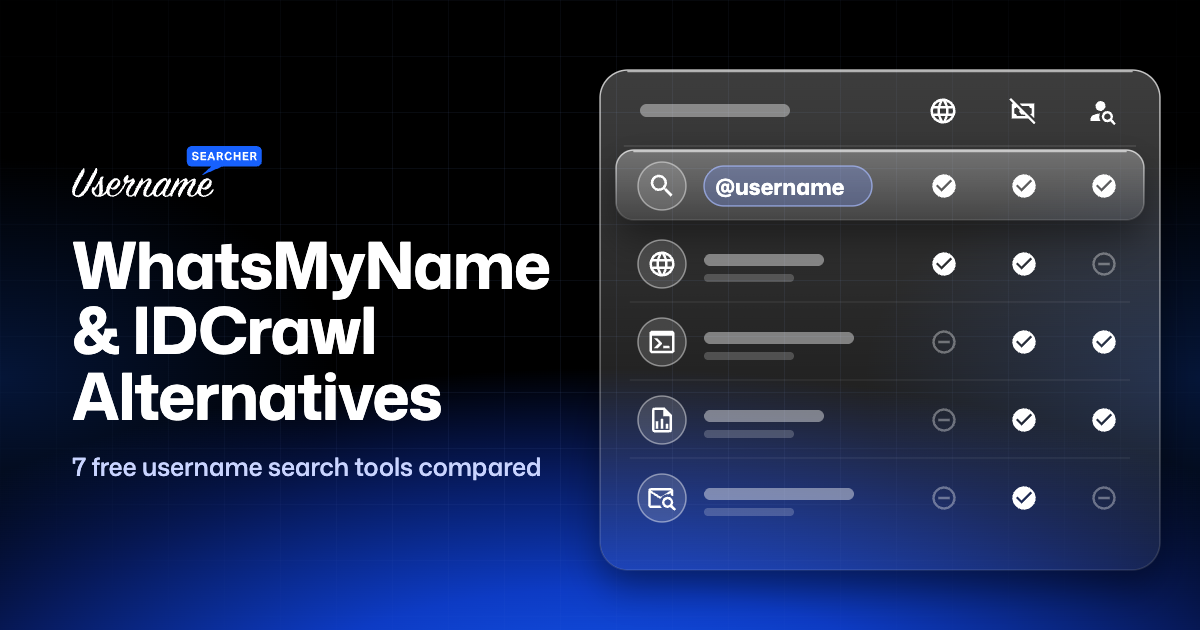
WhatsMyName and IDCrawl are two of the best-known ways to search a username across the web, but they’re built for different people. WhatsMyName is an open-source tool made for investigators, with a results screen to match. IDCrawl is a people-search site that mixes username results with name, phone and email lookups and links to paid background reports. If neither one fits what you need, or the one you use is down today, there are good free alternatives, including browser options if you like Sherlock but don’t want to install it. All seven tools below are free.
We compared seven username search tools on what they check, what they cost, whether you need to install anything, and what they’re best at. Full disclosure: we make UsernameSearcher, so it’s on the list. We’ve tried to be straight about where other tools do a better job.
Quick Comparison
| Tool | Best for | Sites checked | Cost | Install needed |
|---|---|---|---|---|
| UsernameSearcher | Fast, simple search in the browser | 1,000+ | Free | No |
| WhatsMyName | OSINT work with filters and CSV export | 700+ | Free | No |
| Sherlock | A trusted command-line tool | 400+ | Free, open source | Yes (Python) |
| Maigret | Deep reports with profile details | Up to about 5,900 | Free, open source | Yes (Python) |
| Blackbird | Username and email search | 600+ | Free, open source | Yes (Python) |
| Namechk | Brand name and domain availability | 100+ | Free | No |
| Instant Username Search | Quick availability check | 100+ | Free | No |
Site counts are each project’s own figures as of October 2026. They change often, and a bigger number doesn’t always mean better results, because many of the extra sites are small or inactive.
How We Compared Them
For each tool, we looked at four things:
- Coverage: how many sites it checks, and whether the big platforms are included. Those are the ones people search most, and each handles usernames differently, as our guides to Instagram, TikTok, Snapchat and Discord searches explain.
- Ease of use: whether it runs in a browser or needs Python and a terminal.
- Result quality: whether it just says “found”, or also shows profile details, and how clearly it handles sites it can’t check.
- Cost and catches: sign-ups, limits, ads, or links to paid reports.
The 7 Best Free Username Search Tools
1. UsernameSearcher
Our username search checks a username against 1,000+ sites from your browser, with no sign-up. Each site comes back as Found (with a link to the profile), Available or Unknown, so you can see at a glance where a handle exists and where it’s free to register.
- Best for: anyone who wants a quick, readable answer without installing anything.
- Good: large coverage, clear results, works on a phone, also tells you where a name is still available.
- Limits: it finds accounts but doesn’t pull profile details like bios or follower counts. Some sites, Instagram in particular, block automated checks and show as Unknown, so you’ll need to open those yourself.
2. WhatsMyName
WhatsMyName started in 2015 as an open-source project by Micah Hoffman (WebBreacher), and today it’s mainly a community-maintained list of 700+ websites and how to detect an account on each. The web app at whatsmyname.app, built by Chris Poulter, runs your search against that list, lets you filter results by category, and exports them to CSV.
- Best for: OSINT researchers and journalists who want filters and exports.
- Good: trusted in the OSINT community, transparent data that anyone can review, free.
- Limits: the interface is built for investigators, and like any browser-based checker it can’t see sites that block automated requests. If the web app is down, you’ll need another tool.
The WhatsMyName data also powers other tools, including Blackbird (number 5 below), so different tools sometimes share the same strengths and blind spots.
3. Sherlock
Sherlock is the classic username tool, an open-source Python program with one of the biggest followings of any OSINT project on GitHub. You run sherlock username in a terminal and it checks 400+ social networks, then saves the accounts it found to a text file, CSV or Excel spreadsheet.
- Best for: people comfortable with a terminal who want a well-known, actively maintained tool.
- Good: free and open source (MIT license), actively maintained, scriptable, can check several usernames in one run.
- Limits: you need Python (or Docker) to run it, and there’s no official web version. Results say whether an account exists, without profile details.
4. Maigret
Maigret takes the Sherlock idea much further. Its database covers about 5,900 sites, although by default it only checks the 500 most popular so a search finishes in reasonable time. It also reads profile pages for details like names, bios and links to other accounts, can search again using any new usernames it finds, and builds reports as HTML, PDF, CSV, JSON or an interactive graph.
- Best for: investigations where you want a full report, not just a list of sites.
- Good: the deepest free tool on this list, with a local web interface and report exports.
- Limits: installing and tuning it takes some technical comfort, and a full scan of every site is slow.
5. Blackbird
Blackbird searches by username or email address across 600+ platforms, using the WhatsMyName data for its username checks. It can export results as PDF or CSV, and has an optional AI summary that describes a profile based on the sites where it was found.
- Best for: searches where you have an email address as well as a username.
- Good: email search is rare among free tools, and the PDF export is handy for reports.
- Limits: it’s a Python command-line tool, so it needs some setup.
6. Namechk
Namechk checks whether a name is available as a username on social networks and as a web domain at the same time. That makes it a branding tool more than a people finder: it’s for when you’re choosing a name for a business, channel or project.
- Best for: picking a brand name that’s free everywhere, domain included. Still deciding on a name? A username generator can suggest ideas first.
- Good: fast, simple, shows domain availability next to social handles.
- Limits: it shows whether a name is taken, not who has it, so it isn’t much help for finding a person.
7. Instant Username Search
Instant Username Search is a free checker that tests a username across 100+ sites and social networks in real time. Its code is still on GitHub, but the project was archived in 2024, so it’s no longer actively developed.
- Best for: quickly checking whether a handle is free on popular sites. For a single platform, our Instagram username checker and TikTok username checker do the same job.
- Good: very fast, free, no sign-up.
- Limits: smaller coverage than the tools above and focused on availability rather than finding people.
Best IDCrawl Alternatives (Sites Like IDCrawl)
IDCrawl is a free people-search site. You can search by name, username, phone number or email, and it pulls together social profiles and photos on one page. Searching is free, but the phone, address and background details sit behind sponsored links to paid services like TruthFinder, Spokeo and PeopleLooker.
The right alternative depends on what you were using IDCrawl for:
- Searching a username: any of the tools above does this without the paid upsells. UsernameSearcher and WhatsMyName run in the browser; Maigret gives the most detail.
- Searching a person’s name: start with Google (the name in quotes, plus a city or job), Facebook and LinkedIn. Our guide on how to find someone by username covers name and email searches too, and how to confirm you’ve found the right person.
- Looking up a US address, phone or relatives: that’s what free people-search sites like TruePeopleSearch and FastPeopleSearch do. They work much like IDCrawl, with free basic results and paid upsells, and they share its accuracy problems. Each has its own opt-out page if you find yourself listed.
- Removing yourself: IDCrawl has a free removal form at idcrawl.com/remove-my-information. Removing your page from IDCrawl doesn’t remove the data from its original sources, so the paid partner sites need separate removal requests.
Be careful with paid people-search reports in general. Matches are built automatically from public records and can mix up people with the same name, so treat them as leads to check, not facts.
Best WhatsMyName (whatsmyname.app) Alternatives
WhatsMyName is a great tool, so the reasons to look elsewhere are usually practical:
- The web app is down or slow. Every free tool has outages. Keep a second one handy: our free username search engine is the closest like-for-like option in the browser.
- You want simpler results. If you just want to know where a username exists and where it’s free, a cleaner results page saves time.
- You want more detail. Maigret reads profile pages and builds full reports, which WhatsMyName doesn’t do.
- You want to search an email too. Blackbird handles both.
Sherlock Online for Free: No-Install Alternatives
Sherlock’s biggest hurdle is that it needs Python and a terminal. If you want the same kind of search without installing anything, use a browser tool: search a username online with UsernameSearcher, or use the WhatsMyName web app. If you’re happy with the terminal but want more than Sherlock gives you, Maigret is the natural upgrade.
One thing that confuses people: Sherlock, the open-source username tool on GitHub, has nothing to do with Sherlock Search (sherlocksearch.com), a separate paid face-search service where you upload a photo.
Sherlock vs Maigret
| Sherlock | Maigret | |
|---|---|---|
| Sites checked | 400+ | About 5,900 (top 500 by default) |
| Profile details | No (found / not found only) | Yes, names, bios and linked accounts |
| Reports | Text, CSV, Excel | HTML, PDF, CSV, JSON, interactive graph |
| Best for | Quick, scriptable checks | Deep investigations |
If you just need to know where a username exists, Sherlock is faster and simpler. If you’re building a picture of one person, Maigret’s profile parsing and recursive search are worth the extra setup.
Tools That No Longer Work
Plenty of “best username search tools” lists still recommend tools that are gone. When we checked on October 26, 2026:
- KnowEm: knowem.com no longer resolves, so the site doesn’t load at all.
- PeekYou: the peekyou.com domain now shows a notice that it’s controlled by Atlas Data Privacy Corporation, following a lawsuit under New Jersey’s Daniel’s Law. The people search is gone.
- CheckUsernames: checkusernames.com returned a server error instead of the checker.
Sites do sometimes come back, but if a list leads you to one of these, that’s why it isn’t working.
Which Tool Should You Use?
| You want to… | Use |
|---|---|
| Check a username quickly in your browser | UsernameSearcher |
| Do OSINT research with filters and CSV export | WhatsMyName |
| Script searches from a terminal | Sherlock |
| Build a detailed report on one person | Maigret |
| Search an email address as well as a username | Blackbird |
| Pick a brand name that’s free on social and as a domain | Namechk |
| Quickly check if a handle is free on popular sites | Instant Username Search |
| Find someone by their real name | Google, Facebook, LinkedIn (see how to find someone by username) |
How to Get Accurate Results With Any Tool
Every username tool makes mistakes in both directions. Sites change their pages, block automated checks, or show a generic page for accounts that don’t exist, which can look like a match. A few habits make a big difference:
- Run two tools. Each one misses different sites, and a result that shows up in both is more trustworthy.
- Open every match. A tool can only tell you that someone registered the username, not that it’s the person you’re looking for.
- Check for two clues that line up, such as the same profile photo, matching bio details, or profiles that link to each other. Our guide covers this in Method 7: Confirm It’s the Same Person.
- Search by hand where a tool says Unknown. It means the site couldn’t be checked, not that the account doesn’t exist. Our Twitch, YouTube and Pinterest search page shows how to check those sites directly.
FAQ
Is there a free alternative to IDCrawl?
Yes. For usernames, UsernameSearcher, WhatsMyName, Sherlock and Maigret are all free, with no paid reports. For names, start with Google, Facebook and LinkedIn. For US addresses and phone numbers, free people-search sites like TruePeopleSearch and FastPeopleSearch work in a similar way to IDCrawl.
What sites are like IDCrawl?
For username searches: UsernameSearcher, WhatsMyName, Sherlock and Maigret. For names, phone numbers and addresses: free people-search sites like TruePeopleSearch and FastPeopleSearch, which work in a similar way and also upsell paid reports.
Is IDCrawl free?
Searching IDCrawl is free and doesn’t need an account. The detailed phone, address and background information comes from sponsored partner sites, and those reports are paid.
What is the best free username search engine?
It depends on what you need. For a quick search in the browser, UsernameSearcher or WhatsMyName. For the most detailed results, Maigret. For username plus email, Blackbird.
Is there an online version of Sherlock?
There’s no official web version. Browser-based tools like UsernameSearcher and the WhatsMyName web app do the same kind of search without installing anything.
Sherlock vs Maigret: which is better?
Sherlock is simpler and faster for checking where a username exists. Maigret checks far more sites, pulls profile details and builds reports, so it’s better for in-depth research. Both are free and open source.
Is WhatsMyName safe to use?
Yes. It’s a well-known open-source project, and the official web app at whatsmyname.app only checks public profile pages. Be aware that other sites use similar names, so check the address before you search.
Why do different tools give different results for the same username?
Each tool checks a different list of sites, uses different rules to decide whether an account exists, and gets blocked by different sites. That’s why running two tools and opening each match gives the most reliable picture.
Can I remove my information from IDCrawl?
Yes. Use the removal form at idcrawl.com/remove-my-information and confirm through the email it sends. This removes your IDCrawl page only, not the original sources or partner sites.