Last updated:
How to Change Your TikTok Username
Here’s how to change your TikTok username in the app or on a computer. You can do it once every 30 days, so check the new name before you switch. We also cover why a change can fail and what TikTok says, and doesn’t say, about your old username.
The facts about TikTok below come from its own help pages, checked on November 17, 2026.
Quick Answer
In the TikTok app, tap Profile, then Edit profile, then Username. Enter the new name and tap Save. TikTok’s help page says you can change your username once every 30 days, and that changing it also changes your profile link.
You can also do it at tiktok.com in a desktop browser, but not on TikTok Mobile Web. If you give up a username, TikTok says you can’t add it to an account for a short period of time. It publishes no number of days.
Before You Change It: Check the New Name
TikTok won’t let you switch to a name that’s unavailable. Its help page gives two examples: the name is already taken, or it’s claimed by a suspended or deactivated account, “which may not be available immediately.”
Before you open the app, you can check that the new name is free with our TikTok username checker. Type the name without the @. It needs no login, and checking a name doesn’t reserve it.
Here’s what its results mean:
- Available means our check found no TikTok account at that name. It doesn’t promise TikTok will accept it. A name claimed by a suspended or deactivated account can look free in our check and still be refused.
- Taken means an account already uses the name.
- Unknown means TikTok was limiting automated checks at that moment. Wait a little and try again.
TikTok has the final say when you tap Save, so have a second choice ready.
In our test on November 17, 2026, the checker showed nightowl_dev as Available on TikTok. A name with a hyphen, night-owl, was flagged before any lookup, because TikTok usernames can only use letters, numbers, underscores and periods.
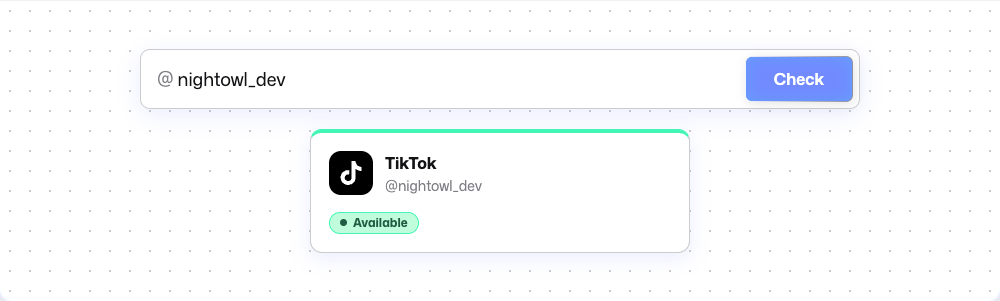 Our TikTok username checker on November 17, 2026. Available means no account was found at that name; TikTok still decides when you save it.
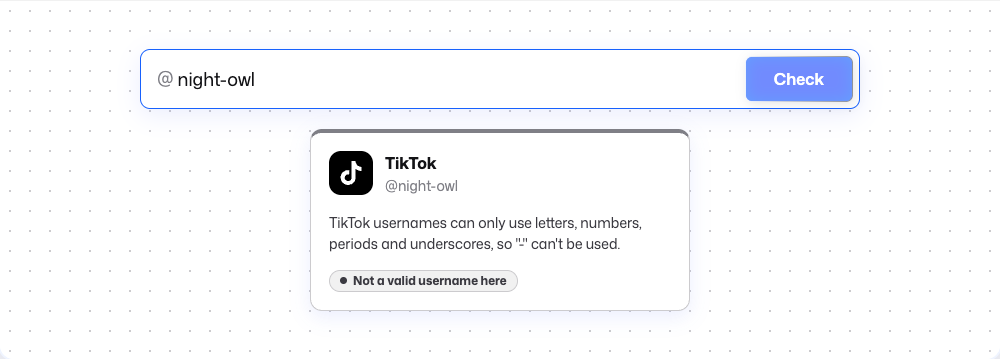 A hyphen isn’t one of the characters TikTok allows, so the checker flags the name before looking it up.
How to Change Your TikTok Username in the App
TikTok’s help page on changing your username gives these steps:
- In the TikTok app, tap Profile at the bottom.
- Tap Edit profile.
- Tap Username and enter the new name.
- Tap Save.
TikTok’s menus change from time to time. If a button looks different, the help page has the current steps.
Not sure what your username is now? It’s the @ name shown on your profile. We also explain where to find your username on other apps.
TikTok Username Rules at a Glance
| Rule | What TikTok’s help page says |
|---|---|
| Length | 2 to 24 characters |
| Characters | Letters, numbers, underscores and periods only |
| Periods | Can’t be added to the end of a username |
| How often | Once every 30 days |
| Profile link | Changes along with the username |
Spaces, hyphens and emoji aren’t on the list of allowed characters, so a username can’t use them.
How to Change It on a Computer
TikTok’s “Unable to change username” help page gives these steps for a desktop browser:
- Go to tiktok.com.
- Click your profile picture in the upper corner.
- Select View Profile to open your profile page.
- Select Edit profile.
- Select your username.
- Enter the new username you want to use.
The same page says: “This feature is not available for TikTok Mobile Web.” So opening tiktok.com in your phone’s browser won’t work. On a phone, use the TikTok app.
Username vs Nickname: What Changes and How Often
A TikTok account has two names. The username is your @tag. TikTok’s help pages say it “is displayed on your profile and makes up your profile link,” and that others use it to tag or find you.
The second name is your nickname. One TikTok help page uses the term account name for the name shown on your profile, and many people call it the display name. This guide calls it the nickname.
| Username | Nickname | |
|---|---|---|
| What it is | Your @tag, such as @username | The name on your account |
| Where it shows | On your profile and in your profile link | Across TikTok, such as the For You feed, comments and direct messages |
| Length | 2 to 24 characters | Up to 30 characters |
| How often you can change it | Once every 30 days | Once every 7 days |
| Where to change it in the app | Profile, Edit profile, Username | Profile, Edit profile, Name |
TikTok’s help page on nicknames adds that a nickname must follow TikTok’s Community Guidelines.
You can change one name without the other. To change only how your name appears across TikTok, edit Name and leave Username alone. The limits are separate too: 7 days for the nickname, 30 days for the username.
Why You Can’t Change Your TikTok Username
TikTok’s help pages point to these causes:
- You changed it less than 30 days ago. A username can be changed once every 30 days.
- The name is unavailable. It’s already taken, or claimed by a suspended or deactivated account. TikTok says such a name “may not be available immediately.”
- You’re blocked from updating your profile. TikTok says your username “can’t be changed if you are blocked from updating your profile.”
- You’re on TikTok Mobile Web. Use the app or a desktop browser instead.
Verified accounts aren’t on TikTok’s list of causes. TikTok warns that a change may cost you the verification, and it offers a support route, covered in Verified Accounts below.
If a name looks free but won’t save, try again later. TikTok gives no timeline.
What Happens to Your Old Username
TikTok’s help page says: “If you give up your username, you will not be able to add that username to an account for a short period of time.” It doesn’t say how long that period lasts, and TikTok publishes no number of days.
Two things follow from TikTok’s rules:
- TikTok doesn’t say the old name is kept for you. If it becomes free again, anyone could claim it.
- You can only change your username once every 30 days. If you regret the switch, you may not be able to go back to the old name.
Your profile link changes along with your username. TikTok doesn’t say whether old links redirect, so update the link anywhere you’ve shared it.
Moving Your Username to Another Account
People often ask how to give their current username to a second or new account. We found no TikTok help page on this. TikTok’s rules point to one order. A name in use on one account is unavailable to others, so that account has to change its username first.
After that, TikTok holds the old name for a short period, and it doesn’t say how long. Once the name is free, someone else could claim it before you do. There’s no guarantee it ends up on your new account.
Can You Change It Before 30 Days?
TikTok’s help page states the limit as “once every 30 days,” and the pages we checked list no exception. Videos and forum posts share tricks to get around it. We don’t recommend them, since TikTok doesn’t describe any of them.
If you only want people to see a different name, your nickname is separate and can change once every 7 days.
Verified Accounts
TikTok’s help page for artists warns: “If your account is verified and you change username, you may lose the verification.”
The same page says you can also contact TikTok through its online reporting form to change a verified account’s username. In the form, choose “Change account information,” then “Change username.”
Changing Someone Else’s Username
The steps above change the username of the account you’re signed in to. We found no TikTok help page describing a way to change another person’s username. If a friend or family member wants a new name, they can follow the same steps on their own account.
Picking a Name You Won’t Want to Change
With a 30-day limit and an old name you may not get back, it pays to choose carefully. These are our own suggestions:
- Keep it easy to say and spell, so people can tag you without getting it wrong.
- Leave out your birthday, city or anything else that points to you.
- Choose something you’ll still like in a year.
Need a starting point? Our generator gives TikTok username ideas in several styles and marks each one Available or Taken. As with the checker, Available means our check found no account, not that TikTok will accept the name.
Each platform has its own rules for changing a username. If you use Reddit too, here’s how Reddit handles username changes. On YouTube you have both a handle and a channel name, and our guide to changing your YouTube handle and channel name covers each. If you post on Instagram too, here’s how to change your Instagram username.
FAQ
How do I customize my TikTok username?
Pick a name of 2 to 24 characters that uses only letters, numbers, underscores and periods, with no period at the end. Then set it in the app from Profile, Edit profile, Username. The generator linked above can suggest ideas if you’re stuck.
Does changing my TikTok username change my profile link?
Yes. TikTok’s help page says: “Changing your username will also change your profile link.” We found no TikTok statement on whether old links redirect, or on what happens to tags, mentions or saved videos.
Can I change my username again right away if I regret it?
No. TikTok allows a username change once every 30 days, and its help pages describe no way to undo a change. Your nickname is separate and can change once every 7 days.
How long until my old TikTok username is free?
TikTok doesn’t give a time. Its help page says only that you can’t add a username you gave up to an account “for a short period of time.” It publishes no number of days.